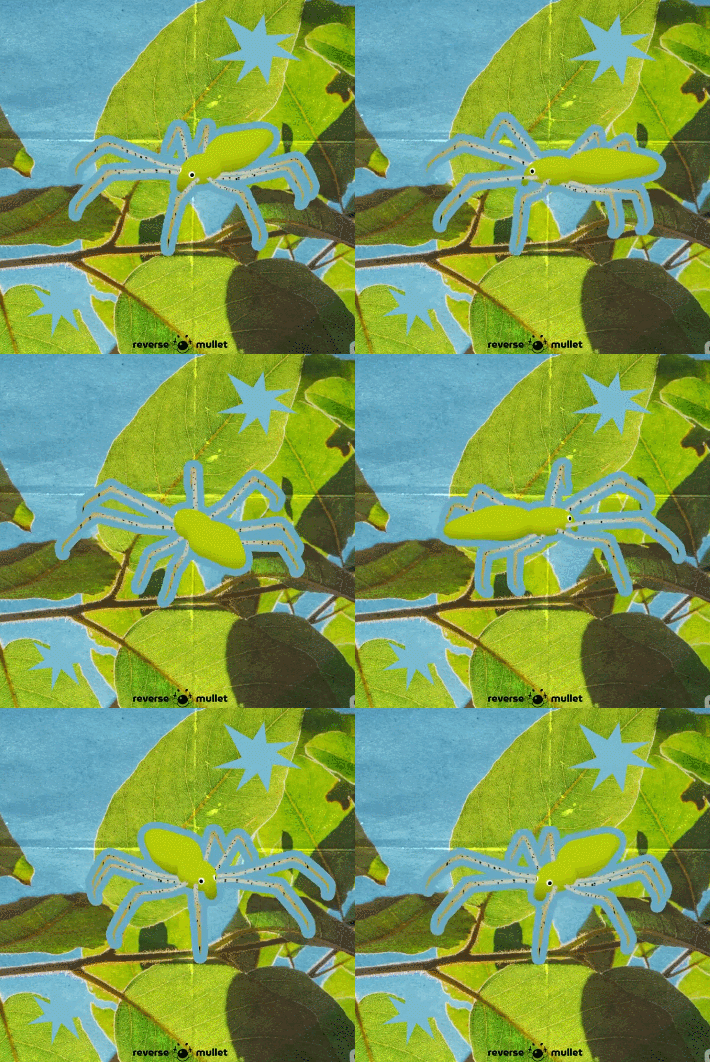
жук
Страница: 1
Сообщений 1 страница 10 из 10
ПеревестиПоделиться12026-03-10 00:46:34
- Администратор

- Откуда: Tribukvy
- Зарегистрирован: 2026-02-24
- Сообщений: 287
- Последний визит:
Вчера 10:42:00
ПеревестиПоделиться22026-03-10 06:13:47
- Администратор
- Откуда: Tribukvy
- Зарегистрирован: 2026-02-24
- Сообщений: 287
- Последний визит:
Вчера 10:42:00

Поделиться32026-03-10 20:38:49
- Администратор

- Зарегистрирован: 2026-02-24
- Сообщений: 272
- Последний визит:
2026-08-20 11:12:11
это очень круто
ПеревестиПоделиться42026-03-11 23:54:11
- Администратор
- Зарегистрирован: 2026-02-24
- Сообщений: 272
- Последний визит:
2026-08-20 11:12:11
//=============================================================================
// MBS - Map Zoom (v1.3.5)
//-----------------------------------------------------------------------------
// por Masked
//=============================================================================
//-----------------------------------------------------------------------------
// Especificações do plugin (Não Modifique!)
// Plugin Specifications (Do not modify!)
//
/*:
*
* @author Masked
* @plugindesc Makes it possible to zoom in and out the game map
*
* <MBS MapZoom>
* @help
* ===========================================================================
* Introduction
* ===========================================================================
* This script lets you change the game zoom as you want while in the map
* scene.
*
* ===========================================================================
* How to use
* ===========================================================================
* You can set the map zoom with this plugin command:
*
* MapZoom set x [y [duration n]]
*
* Just change 'x' and 'y' to the zoom ratio you want (you can use floats).
* Note that the "y" parameter is optional, if you don't use it then the
* script will assume it's equal to "x". If you want to define the zoom
* duration you can add a third parameter 'duration' followed by the number
* of frames the zoom operation will last. You can also add 'duration' as the
* second parameter so that the 'y' zoom will be equal to the 'x'. If no
* duration is set, it will be assumed it's 60 frames.
* E.g.:
* MapZoom set 2.0 duration 120
* MapZoom set 2.0 1.5 duration 20
*
* If you want the zoom to be centralized on a specific X, Y coordinate or an
* event, use this command:
* MapZoom center x y
* MapZoom center event id
*
* Just replace the 'x' and 'y' or 'id' for the values you want. E.g.:
* MapZoom center 5 7
* MapZoom center event 3
*
* To center on the player, use reset:
* MapZoom center reset
*
* You can also use this to reset the zoom (set it to 1.0):
* MapZoom reset [d]
*
* This will also reset the zoom center position.
* If you want, you can choose the reset duration just changing 'd' for the
* number of frames you want it to take.
* E.g.:
* MapZoom reset 30
*
* If you want some picture to zoom along with the map, add "[Zoom]" to its
* name.
* E.g.:
* "img/pictures/SamplePicture1 [Zoom].png"
*
* ===========================================================================
* Credits
* ===========================================================================
* - Masked, for creating.
*
* @param Reset on map change
* @desc If you want the zoom to be reset when the map changes, set this
* parameter to true. Set it to false otherwise.
* @default true
*
* @param Default zoom
* @desc The default zoom ratio, change this to apply a zoom to all of the game
* maps.
* @default 1.0
*
*/
/*:pt
*
* @author Masked
* @plugindesc Torna possível que você dê zoom no mapa durante o jogo.
*
* <MBS MapZoom>
* @help
* ===========================================================================
* Introdução
* ===========================================================================
* Esse script permite que você aumente ou diminua o zoom do jogo quando na
* cena do mapa.
*
* ===========================================================================
* Utilização
* ===========================================================================
* Para definir o zoom do mapa use o seguinte comando:
*
* MapZoom set x [y [duration d]]
*
* Troque o X e Y pelos valores de zoom que quiser. Você pode usar decimais.
* Note que o "y" é opcional, e se não for definido o script assumirá que seu
* valor é igual a X. Se você quiser, adicione um parâmetro 'duration' seguido
* pelo número de frames que a operação deve levar, se a duração não for
* especificada ela será 60.
*
* Exemplos:
* MapZoom set 2.0 duration 120
* MapZoom set 2.0 1.5 duration 20
*
* Se você quiser, pode centralizar a câmera do zoom em um evento ou
* coordenada usando esse comando:
*
* MapZoom center x y
* MapZoom center event id
*
* Só troque o 'x' e 'y' ou 'id' pelos valores que quiser.
* Exemplos:
* MapZoom center 5 7
* MapZoom center event 3
*
* Para centralizar no jogador, use o reset:
* MapZoom center reset
*
* Você pode ainda resetar o zoom (mudar para 1.0):
*
* MapZoom reset [d]
*
* Se quiser, troque o '[d]' pelo número de frames que quiser que a operação
* dure.
*
* Exemplos:
* MapZoom reset 30
* MapZoom reset
*
* Se quiser que uma picture seja afetada pelo zoom do mapa, adicione [Zoom]
* ao nome dela.
* Exemplo:
* "img/pictures/Imagem1 [Zoom].png"
*
* ===========================================================================
* Créditos
* ===========================================================================
* - Masked, por criar.
*
* @param Reset on map change
* @desc Caso queira que o zoom seja resetado quando o mapa mudar, deixe
* como true. Se não, deixe como false.
* @default true
*
* @param Default zoom
* @desc Valor padrão para o zoom da tela. Mude isso para aplicar um zoom a
* todos os mapas do jogo.
* @default 1.0
*
*/
var Imported = Imported || {};
var MBS = MBS || {};
MBS.MapZoom = {};
"use strict";
(function ($) {
$.Parameters = $plugins.filter(function(p) {return p.description.contains('<MBS MapZoom>');})[0].parameters;
$.Param = $.Param || {};
//-----------------------------------------------------------------------------
// Settings
//
// Flag to enable/disable resetting the zoom on map change
$.Param.resetOnMapChange = ($.Parameters["Reset on map change"].toLowerCase() === "true");
// Default zoom ratio
$.Param.defaultZoom = Number($.Parameters["Default zoom"]);
//-----------------------------------------------------------------------------
// Game_Map
//
// The game map object. Here the main changes for controlling the map zoom were
// made.
// Aliases
var _GameMap_initialize = Game_Map.prototype.initialize;
var _GameMap_setup = Game_Map.prototype.setup;
var _GameMap_update = Game_Map.prototype.update;
// Object initialization. Here the zoom-related variables are created.
Game_Map.prototype.initialize = function() {
_GameMap_initialize.call(this);
this._destZoom = this._destZoom || new PIXI.Point(0, 0);
this._zoomTime = 0;
this._zoomDuration = this._zoomDuration || 0;
this._zoom = this._zoom || new PIXI.Point($.Param.defaultZoom, $.Param.defaultZoom);
this._zoomCenter = null;
};
// Map setup. This will reset the map zoom if 'Reset on map change' is true.
Game_Map.prototype.setup = function(mapId) {
_GameMap_setup.call(this, mapId);
if ($.Param.resetOnMapChange)
this._zoom = new PIXI.Point($.Param.defaultZoom, $.Param.defaultZoom);
};
// Map update. This method controls the gradual zoom when a duration
// is specified.
Game_Map.prototype.update = function () {
_GameMap_update.apply(this, arguments);
if (this._zoomDuration > this._zoomTime) {
this.zoom.x += this._spdZoom.x;
this.zoom.y += this._spdZoom.y;
this._zoomTime++;
this.onZoomChange();
} else if (this._zoomTime > 0) {
this._zoomTime = 0;
this._zoomDuration = 0;
this._spdZoom = new Point(0, 0);
}
};
/**
* Sets the game map zoom ratio.
* @param {Number} x The horizontal zoom ratio
* @param {Number} y The vertical zoom ratio
*/
Game_Map.prototype.setZoom = function(x, y, duration) {
duration = duration || 60;
duration = Math.round(duration <= 0 ? 1 : duration) * 1.0;
this._destZoom.x = this._destZoom.y = x;
if (y) {
this._destZoom.y = y;
}
this._spdZoom = new PIXI.Point((this._destZoom.x - this._zoom.x) / duration, (this._destZoom.y - this._zoom.y) / duration);
this._zoomDuration = duration;
this._zoomTime = 0;
};
/**
* Sets the game map zoom origin.
* @param {mixed} a Either a X coordinate or a Game_Character to center the zoom.
* @param {Number} (Optional) A Y coordinate to center the zoom.
*/
Game_Map.prototype.setZoomCenter = function(a, b) {
if (b) {
this._zoomCenter = new PIXI.Point(a, b);
} else if (a) {
this._zoomCenter = a;
} else {
this._zoomCenter = null;
}
};
/**
* Function called when the map zoom changes.
*/
Game_Map.prototype.onZoomChange = function() {
$gamePlayer.center((this._zoomCenter || $gamePlayer)._realX, (this._zoomCenter || $gamePlayer)._realY);
};
/**
* Gets a map coordinate from a screen coordinate.
* @param {Number} x The screen coordinate
* @return The X position of the tile below the screen X given.
*/
Game_Map.prototype.canvasToMapX = function(x) {
var tileWidth = this.tileWidth() * this.zoom.x;
var originX = this.displayX() * tileWidth;
var mapX = Math.floor((originX + x) / tileWidth);
return this.roundX(mapX);
};
/**
* Gets a map coordinate from a screen coordinate.
* @param {Number} y The screen coordinate
* @return The Y position of the tile below the screen Y given.
*/
Game_Map.prototype.canvasToMapY = function(y) {
var tileHeight = this.tileHeight() * this.zoom.y;
var originY = this.displayY() * tileHeight;
var mapY = Math.floor((originY + y) / tileHeight);
return this.roundY(mapY);
};
// Zoom property
Game_Map.prototype.__defineGetter__('zoom', function() { return this._zoom; });
//-----------------------------------------------------------------------------
// Game_Player
//
// Player character class. Changed to fix the screen center/scroll while
// zoomming.
// Alias
var _GamePlayer_centerX = Game_Player.prototype.centerX;
var _GamePlayer_centerY = Game_Player.prototype.centerY;
var _GamePlayer_updateScroll = Game_Player.prototype.updateScroll;
Game_Player.prototype.centerX = function() {
return _GamePlayer_centerX.call(this) / $gameMap.zoom.x;
};
Game_Player.prototype.centerY = function() {
return _GamePlayer_centerY.call(this) / $gameMap.zoom.y;
};
Game_Player.prototype.updateScroll = function(lastScrolledX, lastScrolledY) {
if (!$gameMap._zoomCenter || $gameMap._zoomCenter === this)
_GamePlayer_updateScroll.apply(this, arguments);
};
//-----------------------------------------------------------------------------
// Game_Event
//
// Game events class. Changed it to center the screen into the event when it's
// given as the zoomCenter for $gameMap.
var Game_Event_update = Game_Event.prototype.update;
// Copies the Game_Player scroll update function into the event class
Game_Event.prototype.centerX = Game_Player.prototype.centerX;
Game_Event.prototype.centerY = Game_Player.prototype.centerY;
Game_Event.prototype.updateScroll = Game_Player.prototype.updateScroll;
Game_Event.prototype.update = function() {
var lastScrolledX = this.scrolledX();
var lastScrolledY = this.scrolledY();
Game_Event_update.apply(this, arguments);
if (this === $gameMap._zoomCenter)
this.updateScroll(lastScrolledX, lastScrolledY);
};
//-----------------------------------------------------------------------------
// Spriteset_Map
//
// Map spriteset. This is where the real zooming happens.
// Alias
var _SpritesetMap_createLowLayer = Spriteset_Map.prototype.createLowerLayer;
var _SpritesetMap_update = Spriteset_Map.prototype.update;
Spriteset_Map.prototype.createLowerLayer = function() {
_SpritesetMap_createLowLayer.apply(this, arguments);
$gameMap.setZoom($gameMap.zoom.x, $gameMap.zoom.y, 1);
};
Spriteset_Map.prototype.updatePosition = function() {
var scale = $gameMap.zoom;
var screen = $gameScreen;
this.x = Math.round(-$gameMap.zoom.x * (scale.x - 1));
this.y = Math.round(-$gameMap.zoom.y * (scale.x - 1));
this.x += Math.round(screen.shake());
if (this.scale.x !== scale.x || this.scale.y !== scale.y) {
var destScale = $gameMap._destZoom;
var sw = Graphics.width / destScale.x + this._tilemap._margin * 2;
var sh = Graphics.height / destScale.y + this._tilemap._margin * 2;
if ((this.scale.x > destScale.x || this.scale.y > destScale.y) && !(this.width === sw && this.height === sh)) {
//var w = $gameMap.width() * $gameMap.tileWidth() + this._tilemap._margin * 2;
//var h = $gameMap.height() * $gameMap.tileHeight() + this._tilemap._margin * 2;
var r = sw > this._tilemap.width || sh > this._tilemap.height;
if (r) {
this._tilemap.width = sw;//Math.max(w, sw);
this._tilemap.height = sh;//Math.max(h, sh);
this._tilemap.refresh();
}
}
this.scale = new PIXI.Point(scale.x, scale.y);
this._pictureContainer.scale = new PIXI.Point(1.0 / scale.x, 1.0 / scale.y);
this._weather.scale = new PIXI.Point(1.0 / scale.x, 1.0 / scale.y);
this._parallax.move(this._parallax.x, this._parallax.y, Graphics.width / scale.x, Graphics.height / scale.y);
}
};
//-----------------------------------------------------------------------------
// Tilemap
//
Tilemap.prototype._createLayers = function() {
var width = this._width;
var height = this._height;
var margin = this._margin;
var tileCols = Math.ceil(width / this._tileWidth) + 1;
var tileRows = Math.ceil(height / this._tileHeight) + 1;
var layerWidth = tileCols * this._tileWidth;
var layerHeight = tileRows * this._tileHeight;
if (this._lowerBitmap) {
this._lowerBitmap.clear();
this._lowerBitmap.resize(layerWidth, layerHeight);
} else
this._lowerBitmap = new Bitmap(layerWidth, layerHeight);
if (this._upperBitmap) {
this._upperBitmap.clear();
this._upperBitmap.resize(layerWidth, layerHeight);
}
else
this._upperBitmap = new Bitmap(layerWidth, layerHeight);
this._layerWidth = layerWidth;
this._layerHeight = layerHeight;
this._lowerLayer = this._lowerLayer || new Sprite();
this._lowerLayer.removeChildren();
this._lowerLayer.move(-margin, -margin, width, height);
this._lowerLayer.z = 0;
this._upperLayer = this._upperLayer || new Sprite();
this._upperLayer.removeChildren();
this._upperLayer.move(-margin, -margin, width, height);
this._upperLayer.z = 4;
for (var i = 0; i < 4; i++) {
this._lowerLayer.addChild(new Sprite(this._lowerBitmap));
this._upperLayer.addChild(new Sprite(this._upperBitmap));
}
this.addChild(this._lowerLayer);
this.addChild(this._upperLayer);
};
//-----------------------------------------------------------------------------
// Game_Picture
//
// Game pictures object. Changed to apply zoom on images marked with [Zoom].
var _GamePicture_update = Game_Picture.prototype.update;
Game_Picture.prototype.update = function() {
_GamePicture_update.apply(this, arguments)
if (this.mapZoom()) this.updateZoom();
};
Game_Picture.prototype.updateZoom = function() {
if (this._duration > 0) {
var d = this._duration;
this._scaleX = (this._scaleX * (d - 1) + this._targetScaleX) / d * $gameMap.zoom.x;
this._scaleY = (this._scaleX * (d - 1) + this._targetScaleX) / d * $gameMap.zoom.y;
} else {
this._scaleX = this._targetScaleX * $gameMap.zoom.x;
this._scaleY = this._targetScaleY * $gameMap.zoom.y;
}
};
Game_Picture.prototype.mapZoom = function() {
return !!this.name().match(/\[zoom\]/i);
};
//-----------------------------------------------------------------------------
// Game_Map
//
Game_Map.prototype.screenTileX = function() {
return Graphics.width / this.tileWidth() / $gameMap.zoom.x;
};
Game_Map.prototype.screenTileY = function() {
return Graphics.height / this.tileHeight() / $gameMap.zoom.y;
};
//-----------------------------------------------------------------------------
// Plugin command
//
// Alias
var _GameInterpreter_pluginCommand = Game_Interpreter.prototype.pluginCommand;
Game_Interpreter.prototype.pluginCommand = function (command, args) {
_GameInterpreter_pluginCommand.call(this, command, args);
if (command == "MapZoom") {
if (args[0] == "set") {
if (args[1]) {
if (args[2]) {
if (args[2] == "duration") {
if (args[3]) {
$gameMap.setZoom(Number(args[1]) * $.Param.defaultZoom, Number(args[1]) * $.Param.defaultZoom, Number(args[3]));
}
} else {
if (args[3] == "duration") {
if (args[4]) {
$gameMap.setZoom(Number(args[1]) * $.Param.defaultZoom, Number(args[2]) * $.Param.defaultZoom, Number(args[4]));
}
} else {
$gameMap.setZoom(Number(args[1]) * $.Param.defaultZoom, Number(args[2]) * $.Param.defaultZoom);
}
}
} else {
$gameMap.setZoom(Number(args[1]));
}
}
} else if (args[0] == "reset") {
if (args[1]) {
$gameMap.setZoom($.Param.defaultZoom, $.Param.defaultZoom, Number(args[1]));
} else {
$gameMap.setZoom($.Param.defaultZoom);
}
$gameMap.setZoomCenter();
} else if (args[0] == "center") {
if (args[1] == "event") {
var ev = $gameMap.event(Number(args[2]));
if (ev)
$gameMap.setZoomCenter(ev);
} else if (args[1] == "reset") {
$gameMap.setZoomCenter();
} else {
$gameMap.setZoomCenter(Number(args[1]), Number(args[2]));
}
$gameMap.setZoom($gameMap._destZoom.x, $gameMap._destZoom.y, $gameMap._zoomDuration - $gameMap._spdZoom);
}
}
};
})(MBS.MapZoom);
if (Imported["MVCommons"]) {
PluginManager.register("MBS_MapZoom", 1.3, "Makes it possible to zoom in and out the game map whenever you want", {
email: "masked.rpg@gmail.com",
name: "Masked",
website: "N/A"
}, "2016-07-26");
}
ПеревестиПоделиться52026-03-12 00:02:44
- Администратор
- Зарегистрирован: 2026-02-24
- Сообщений: 272
- Последний визит:
2026-08-20 11:12:11
MBS_MapZoom
Поделиться62026-03-12 00:02:55
- Администратор
- Откуда: Tribukvy
- Зарегистрирован: 2026-02-24
- Сообщений: 287
- Последний визит:
Вчера 10:42:00
спс
ПеревестиПоделиться72026-03-12 02:51:55
- Администратор
- Откуда: Tribukvy
- Зарегистрирован: 2026-02-24
- Сообщений: 287
- Последний визит:
Вчера 10:42:00
Поделиться82026-03-12 22:29:12
- Администратор
- Откуда: Tribukvy
- Зарегистрирован: 2026-02-24
- Сообщений: 287
- Последний визит:
Вчера 10:42:00
lua написал(а):
ПеревестиПоделиться92026-03-14 08:11:26
- Администратор
- Зарегистрирован: 2026-02-24
- Сообщений: 272
- Последний визит:
2026-08-20 11:12:11
j_j
ПеревестиПоделиться102026-03-14 08:11:40
- Администратор
- Зарегистрирован: 2026-02-24
- Сообщений: 272
- Последний визит:
2026-08-20 11:12:11
j^j
Страница: 1